
- For Artists
- SoundCloud for ArtistsRegistration: SoundCloud account
Verification through SoundCloud
Functions: Analyses of streams and interactions
Customisation of the profile (pictures, biography)
Monetisation options and fan engagement tools
Website: SoundCloud for Artists - Pandora AMPSign in: Pandora account
Verification of the artist or the rights holder by mail
Functions: Analyses of streams and listeners
Audio messages and promos for fans
Customisation of the artist page (pictures, biography)
Website: Pandora AMP - Tidal for ArtistsRegistration: Tidal account
Verification of the artist or the rights holder
Functions: Analyses of streams and listeners
Customisation of the artist page (images, biography)
Exclusive tools and marketing opportunities
Website: Tidal Artists - Deezer for CreatorsRegistration: Deezer account
Verification of the artist or rights holder via email
Functions: Analyses of streams, listeners and playlists
Customisation of the artist page (pictures, biography)
Pitching of songs for playlists
Website: Deezer for Creators - Amazon Music for ArtistsRegistration: Amazon account
Verification of the artist or rights holder via email
Functions: Analyses of streams and listeners
Customisation of the artist page (images, biography)
Insights about the performance on Alexa-enabled devices
Website: Amazon Music for Artists - YouTube Music for ArtistsSign in: Google account
Linking the YouTube channel with YouTube Studio
Functions: Analyses of video views and subscribers
Customisation of the channel (images, description)
Monetisation and content ID management
Website: YouTube Studio - Apple Music for ArtistsSign in: Apple ID
Verification of the artist or rights holder via e-mail
Functions: Analyses of streams, sales and listeners
Management of the artist page (images, biography)
Insights into performance in different regions
Website: Apple Music for Artists - Spotify for Artists
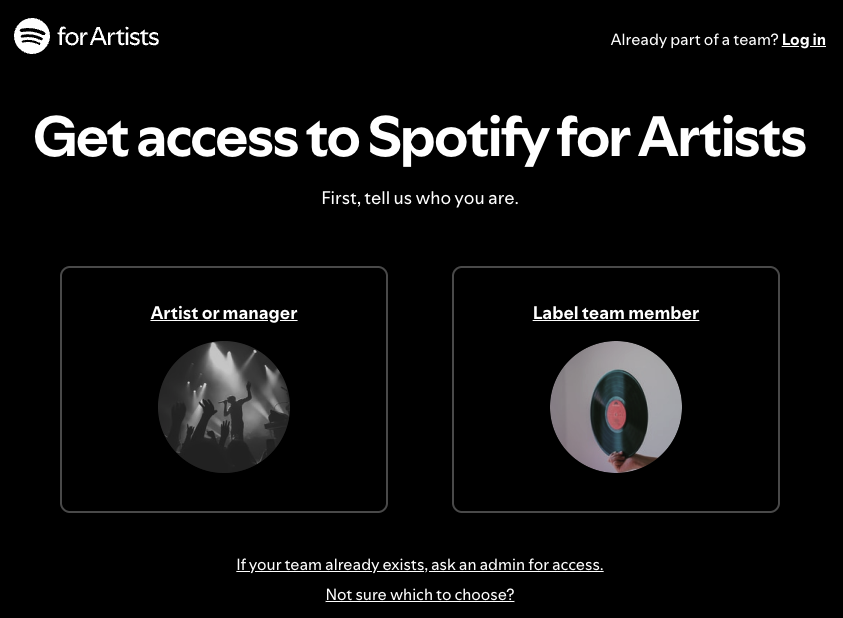 If you run a label that has music on Spotify, you can now use Spotify for Artists to access a number of features —including album-level data across your entire catalog (including custom date ranges), playlist pitching and other Campaign Kit tools, Canvas and Clips uploads, and more. Labels can add multiple people to their teams, and see a log of Spotify for Artists actions taken across their team with the new Activity Page. Both artist and label teams will be able to make changes to an artist profile — whether it’s updating a bio or sharing a playlist through Artist Pick. If you’ve never used Spotify for Artists, you can check out our label onboarding guide here. Our website provides a great overview of how you can get the most out of Spotify for Artists.
To claim your Spotify for Artists profile and get access to your catalog, you’ll need a Spotify account and your work email address. If you’re the first person from your organization to request access, you’ll need the URIs of at least 3 tracks that you’ve previously delivered to Spotify. If your organization has already been set up with us, your request will go to your Spotify For Artists Label Team's Admin.
- Distribution
- How do I get a contractual offer?Please go to our website fortyfymusic.com and follow the application form. After checking your details, you will be contacted by one of our label managers.
- Are there any charges to deliver my Albums and Singles to stores?No, all costs are covered by the percentage rate negotiated in the contract.
- Are there any other costs I will need to pay?No costs are charged in advance. FORTYFY keeps a percentage part, which is specified in the contract.
- Are there any fees I need to pay to get setup with FORTYFY?No fees are charged for the installation or launch of the system.
- What is required for distribution via FORTYFY?FORTYFY deals with sole traders or businesses, which legally own the rights for digital distribution of their content.
- YouTube
- How does Meta’s Content ID system work?When you create a release and select ‘Meta’ as a store, your release will be uploaded to Meta’s audio library, as well as Meta’s content ID system. Much like YouTube’s Content ID System, Meta’s Content ID system will claim on videos that utilize all or parts of your audio. This will generate earnings which are reported 45 days after the month they are earned in. When checking if a release is eligible to be distributed to Meta, we must go by the same guidelines set by YouTube’s content ID system.
- How does YouTube’s Content ID System work?When you create a release and select ‘YouTube‘ as a store, we’ll submit your release to YouTube’s Content ID system. This is one of many ways in which you can utilize YouTube to monetise your content. YouTube’s Content ID system uses audio fingerprinting to identify videos that use all or part of your music in them. Claims are placed on these matching videos which monetizes the audio on your behalf. Even YouTube Shorts Videos bring you money through Content ID. In order for your release to be eligible for distribution to the Content ID system, it must not contain any non-exclusive samples, public domain content, or content that might have already been uploaded to Content ID. Click here for a list of criteria that your release must fit before we can distribute it to YouTube Content ID.
- How to get the best results for my YouTube Channel?First thing is to not just upload your music videos on your channel, but to deliver also the audio-files of your song to YouTube in order to be able to activate Content ID if somebody uses just your audio on YouTube. Additionally if you do the audio distribution through us, we help you to connect your YouTube Channel with other music streaming platforms.
- Do I necessarily need to add my channel to your CMC if I do digital distribution through FORTYFY?No, but you miss a lot of benefits if you keep your channel out of a YouTube Partner Music CMS. We help that you get all necessary connections in the backend of your channel done, to increase your relevance, views and revenue. We help you to get Video-pitchings on YouTube, update you first with news regarding channel-optimization & revenue.
- How to get an official YouTube Artist Channel?As soon as your channel meet the requirements, which we help you to get, we start the process for you to get an OAC.
- Stores & Sales
- Does FORTYFY distribute classic music?Yes, if a distribution release is tagged as "Classical" your release will not be distributed to iTunes but will be distributed to our other list of retailers.
- What if my songs are already in some of the retail stores?In case your songs are already represented in the store, it means that you are already with a distributor. If you want to switch to us, make sure your contract has expired or is about to expire, please let us know in advance so we can start the process.
- Are my sales reported to BMI, ASCAP, or any other performing arts organization?No. You are responsible for reporting sales to these organizations.
- My music is available in retail stores and I know sales have been made. Why aren't my sales showing up?Sales statistics are not reported in real time by every retailer. In Trends, you can see the daily sales at stores like iTunes, Beatport and Amazon. Most are only visible after the official monthly statement.
- How do I track sales/streams of my music?You can view official sales statistics by going to Analytics > Audio > Statistics in your account. You can also view trending reports from several DSPs in Analytics > Audio > Daily Trends. Please note that the daily trends are only estimated sales figures we receive from the DSPs automatically. We do not guarantee that these numbers are 100% accurate until the figures are fully accounted for and appear in “Statistics” and your statements.
- Can I determine the price of my music in the retail stores?You can choose a default price in your product. However, the stores themselves decide the price for customers. This is just a reference how much you like to earn for the product.
- Does the length of my songs affect the pricing?In some cases, yes. If the song is over ten minutes in length, retailers such as iTunes will mark the song as being available for "Album Only" purchase.
- Is my music guaranteed to go live in all of the retail stores?No. Each retailer has the right to refuse your release. Common reasons for rejection of a release include the recording/cover art being poor in quality. In case of problems please contact your label manager.
- Which information about my song will be displayed in my titles in retail stores?Depending on the store/DSP, the displayed information varies from only Artist, Title, Title Version or Label to the complete list of Composers, Producers etc. For example, in Spotify's "Show Credits" menu, most your details will be displayed (Label, written by, produced by...).
- Will the featured artists show up in my song titles?We send your featured artists to all retailers. iTunes and Amazon reliably display this information, for a few stores the function is not available. Please note that if more than four main- or remix artists are added to a product, it will automatically be converted to “Various Artists” by Spotify! Featuring artists are not affected by this process.
- Will my Album/EP be available for purchase in all countries?If a store is currently available in a particular country, your publication will be made available in that store.
- How long will it take for my music to be available in stores?In most stores the product is available within 48 hours. FORTYFY can not guarantee this, because each store has different delivery times. We advise a lead time of at least 14 days with presale. For possible reviews on Beatport a lead time of 4 weeks from upload is necessary.
- My release is not available or only available in some DSPs?First, please check the territories and stores you have selected. If you miss something, please contact us directly. Of course, every store is free to reject products without any reason.
- What are DSPs?DSPs are “Digital Service Providers”, including download stores, streaming platforms, other kinds of digital retailers and services. Examples are Spotify, Apple Music/iTunes, Beatport, Shazam, Youtube, Deezer etc.
- Release Management
- I made a mistake with my submission. What do I do?You have the possibility to make changes to titles, covers, featured artist information, artist names and title files. If you want to make a change, please contact your label manager.
- What are the requirements for my cover art?Your cover must be in jpg format with a minimum size of 3000x3000 px and 72dpi in square format.
- What is the "mix" field?This is an optional field where you can specify which mix of the song will be displayed. Examples include "Dub Mix," "Acoustic," "Live," "Club Mix," "Dance Remix," "Radio Edit," and "Demo."
- Can I change my release after publishing?No, once the product is published you cannot make any changes to it. If this should be the case, please contact your label manager, he will change the product according to your wishes.
- The genre I've specified for my publication doesn't match what some retailers specify. What is the reason for that?Each store has its own genres, your information is for orientation. However, there is a possibility to contradict this, please contact your label manager.
- How do I list the composer or featured artist information for my tracks?While editing the individual track information, you can list featured artists, composers, etc. via the Contributor field.
- Can I add or remove tracks to my release after it has been submitted?No, once the product is published you cannot make any changes to it. If this should be the case, please contact your label manager, he will change the product according to your wishes.
- Can I submit a digital booklet with my release?Yes a digital booklet is supported by stores like iTunes.
- Can I submit a release with multiple main artists?Sure, but do not specify more than 4 artists in total. From 4 artists the product must be specified as a Various Artist.
- What format does FORTYFY need for uploads?We accept files in WAV format (44.1 kHz, 16-bit).
- How do I deliver my products?Your products will be generated through your personal access to our management system. Additionally, we offer an XML and FTP import of your catalog. Also, a tutorial as well as personal support by your label manager is offered by us.
- Numbers & Codes
- What is a catalog number?A catalog number is the identification number that a record company assigns to a release. It can be chosen individually, but should be consecutive and unique.Spaces between the letters or numbers are also not allowed.
- Do I need to have my own ISRC and EAN / UPC numbers?No. We provide you with codes for free on request.
- What if I already have my own UPC/EAN?You can use it! You will be prompted for the EAN/UPC code when you set up your release.
- How quickly will I receive my EAN/UPC and ISRC information?The UPC/ISRC information will be presented in your release immediately after saving the product.
- Can FORTYFY provide EAN/UPC, ISRC or further codes?Yes. You can request EAN/UPC or ISRCs by a simple click in our system – for free!
- What is an ISRC number?An International Standard Recording Code (ISRC) is a 12-character code that serves as a unique identifier for your songs. Each song has its own ISRC code.
- What is a UPC number?A Universal Product Code (UPC) is a number (from 12 to 14 characters long) exclusively associated with your release.
- Report
- My trending report says I have sales. Can I get paid now?No. We do not pay out for sales until we receive the official sales reports from the retailers and from a minimum amount of 50 Euros. Sales reports are received once per month.
- I had a trend report that listed sales, but the official sales report shows other sales. Why?Trend reports are unofficial data and do not represent the retailer's final sales information. Discrepancies between a trend report and a sales report can occur for many reasons. Please contact your label manager for details.
- Where can I find my Daily Trends?You can find the reports in the Analytics > Audio > Daily Trends section of your account.
- What are Daily Trends?Daily Trends are daily updated streaming and download numbers from DSPs like Spotify, Apple Music/iTunes, Beatport, Deezer etc., showing estimated numbers we receive automatically from the DSPs for a given period.
- Difference between Daily Trends & StatisticsDaily trends are non-guaranteed sales figures provided by the DSPs. Statistics are the actual accounted streams and downloads of your product which will be included in your statement.
- Does FORTYFY offer sales statistics?Sure, in the CMC. You can access monthly and selected daily sales statistics via your personal online login. You also receive detailed data with your monthly statements, prepared for easy electronic processing.
- Royalties/Payment
- When and how do I receive my statements?Statements are created at the end of the month and are available in your personal account.
- What payment options do you have for transferring royalties to labels?We offer bank transfer and Paypal.
- Someone else is using my band name. Does that affect my royalties?The UPC number of your release is used to track and pay for sales. So, all sales will be matched to that product and properly billed to you.
- Where can I access my royalty reports?We provide you with access to a personal client area on our website where you can monitor sales and manage your catalogue. Royalties are paid to you by bank transfer or paypal.
- How do you calculate royalties?The calculation and distribution of royalties is done as follows: FORTYFY receives a certain royalty from a digital store for each music title sold/streamed. After FORTYFY deducts a small share for digital distribution (which is agreed in our contract), we pay out the full rest of the money to the rights owner without any further deduction.
- How much does FORTYFY earn on my sales?FORTYFY keeps a percentage of your sales as specified in the contract.
- When do I get paid?Payouts vary by retailer and may be changed from time to time by each retailer. If you have questions about specific retailer payouts please contact us.
- How do I get paid?You can view your monthly invoice in your personal account under Accounting. Send us an invoice to accounting@fortyfymusic.com. Depending on the payment term, the amount will be transferred to the account you specify.
- Rights & Contract
- Don’t Put Your Music At RiskAs your trusted partner, we wanted to take a moment to warn you about some deceptive advertisements we’ve recently seen for illegitimate music promotion services.
Third parties that promise playlist placements or a specific number of streams in exchange for compensation are likely using illegitimate practices without your knowledge. These services can threaten your hard work, resulting in the potential withholding of streams or royalties, or even complete removal of your catalog from streaming services.
Our streaming partners work diligently to ensure streams are legitimate, meaning they reflect genuine user listening intent. If a service finds that you (or a third party hired by you or on your behalf) have boosted play counts through any automated, deceptive, fraudulent or other invalid means (digital bots, “click farms”, payment for placement on playlists, etc.), the service may permanently remove your entire catalog.
If you’re in the market for a music promotion service, make sure to do your research before you hire them.
artists.spotify.com/artificial-streaming
artists.spotify.com/help/article/third-party-services-that-guarantee-streams
artists.spotify.com/blog/what-is-artificial-streaming-the-latest-episode-of-the-game-plan-explains
- Can I include a cover song on my release for Digital Distribution?By submitting material to the Website for distribution, you guarantee that you own and/or control all necessary rights to the material. Any misrepresentation or use of unlicensed products will result in immediate termination of your agreement.
- What rights do I hand over when I make a contract with FORTYFY.We only receive the distribution rights within the time period specified in the contract.
- Do I have to own the rights to the music that I submit?You must own the rights — or have been given prior, explicit permission by the rights owner — for all music you submit for Digital Distribution.
- What if someone else has submitted my music without my permission?Contact us at FORTYFY and make sure to include all relevant information.